

Why There Is No Native App on the App Store
The absence of a native Bananzia app is a distribution choice driven by platform policy rather than a technical limitation. Both the Apple App Store and Google Play require real-money gambling applications to hold specific regulatory approval in each market where the app is downloadable. Anjouan-licensed operators typically fall outside the scope of these regulated markets, so publishing on the official stores is not commercially viable. The Progressive Web App route sidesteps the app-store requirement entirely while still offering an installation experience that mirrors a native application on the home screen.
Only use the official Bananzia website. Any third-party site offering a Bananzia APK download is not an official file and should be avoided, as the operator does not distribute installable files outside the official website.
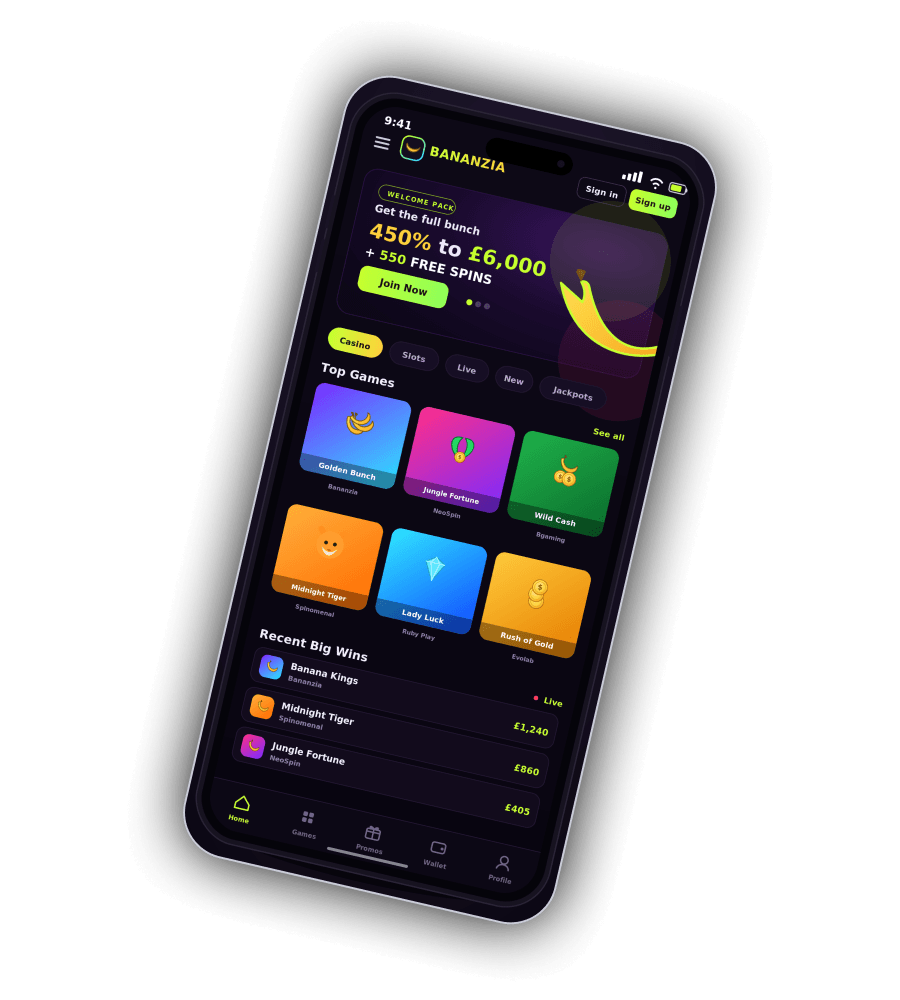
Playing in a Mobile Browser
The Bananzia mobile site is delivered via responsive HTML5 code that adapts automatically to the screen size of the device rendering it. All modern browsers on smartphones and tablets are supported, and the site is functional in both portrait and landscape orientations without additional configuration. Games load directly in the browser through the same technology used on desktop, so the full slot and live dealer library is available without a separate download step.
Supported browsers on mobile
| Browser | Minimum version | Platform |
|---|---|---|
| Safari | iOS 15 or later | iPhone, iPad |
| Chrome | Version 90 or later | Android, iOS |
| Firefox | Version 90 or later | Android, iOS |
| Samsung Internet | Version 15 or later | Samsung Galaxy devices |
| Edge | Version 90 or later | Android, iOS |

Installing Bananzia as a Progressive Web App
Progressive Web App installation adds a Bananzia icon to the device home screen and launches the site in full-screen mode without the browser address bar. The process differs slightly between iOS and Android, and both variants complete in under a minute once the site has been opened in a supported browser.
Install on iPhone or iPad
- Open the Bananzia site in Safari on the iPhone or iPad.
- Tap the Share icon at the bottom of the browser window.
- Scroll and select the Add to Home Screen option from the menu.
- Confirm the shortcut name and tap Add in the top-right corner.
Install on Android
- Open the Bananzia site in Chrome on the Android device.
- Tap the three-dot menu in the top-right of the browser.
- Select the Add to Home Screen or Install App option.
- Confirm the shortcut name and tap Install to complete the setup.
| CRITERION | BANANZIA | CASINACHO ★ |
|---|---|---|
| Game catalogue | 155 providers | 7,500+ titles |
| Live casino | Evolution live | 400+ Evolution tables |
| Welcome offer | £425 + 200 FS | £3,000 + 200 spins |
| Bonus wagering | 35x wagering | Lighter requirements |
| Crypto payouts | Cards & crypto | Fast crypto payouts |
| Sports betting | Full sportsbook | Casino-focused |
iPhone and iPad Considerations
Bananzia runs well on iOS devices from the iPhone 8 generation onwards and on any iPad supporting iOS 15 or later. The PWA installation must be performed from Safari specifically, since third-party browsers on iOS cannot register applications to the home screen. Once installed, the icon launches Bananzia in a self-contained window with independent session storage. Apple platform restrictions mean push notifications are not supported inside the PWA on iOS, so promotional alerts arrive through email rather than the home screen.
Android Considerations
On Android, the PWA can be installed from Chrome, Samsung Internet or Edge, and the resulting shortcut behaves like a standalone app in the launcher. Android permits web push notifications inside an installed PWA, so promotional and account alerts can arrive directly on the device when the player opts in. Performance is smooth on any Android handset released in the last four years, and the responsive layout scales cleanly from compact phones to large tablets.

Mobile Features and Payments
The Bananzia mobile browser delivers full parity with desktop — the complete 155-provider game library, live dealer streams, cashier, bonus opt-in and 24/7 live chat all function identically. Deposits and withdrawals use the same 18 payment methods, with Apple Pay available for one-tap deposits on iOS and cryptocurrency deposits handled by scanning a wallet QR code from a crypto app installed on the same device. Withdrawal times mirror desktop: cryptocurrency in one to two hours, e-wallets within 24 hours, and cards in 24 to 72 hours. The full welcome package and wagering terms are documented on the Bananzia bonus page, and account setup on the registration page.